Why Your Phone Taps Out Before You Do: The Real Science of Mobile Gaming Battery Drain
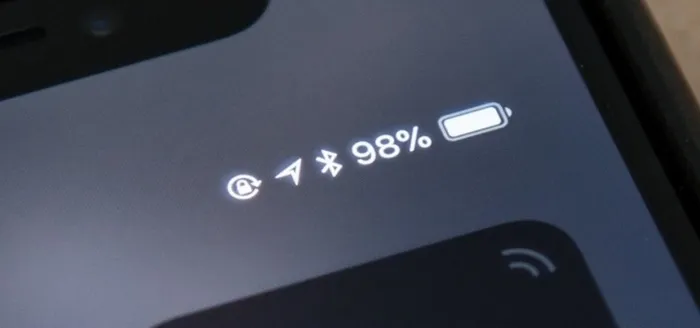
Photo: smartphone battery percentage low while playing mobile game, via trenteknologi.com
You're forty minutes into a raid. Your team is finally clicking. The boss is at 12% health. And then — the dreaded low battery warning flickers across your screen like a villain showing up at the worst possible moment. Sound familiar?
For mobile gamers across the US, battery life isn't just an inconvenience. It's a competitive disadvantage, a session-ender, and honestly, one of the most frustrating parts of gaming on the go. But here's the thing: your phone isn't dying because it's weak. It's dying because mobile games are genuinely one of the most demanding workloads you can throw at a handheld device. Understanding why that happens is the first step to doing something about it.
Your Phone Is Running a Data Center in Your Pocket
When you launch a graphically intensive mobile game, you're not just pressing play on a video. You're firing up a real-time rendering engine, a physics simulation, an AI processing loop, network communication protocols, and audio mixing — all simultaneously, all on a chip roughly the size of your thumbnail.
The GPU (graphics processing unit) inside your phone is doing the heavy lifting visually. Every frame your game renders — and modern mobile titles often target 60 frames per second — requires your GPU to calculate lighting, shadows, particle effects, and geometry from scratch. At 60fps, that's 60 full scene calculations every single second. Multiply that across an hour of play, and you start to understand why your battery is screaming.
Game developers who build for mobile platforms face a relentless tradeoff. Push the visual fidelity higher, and battery drain accelerates. Pull it back, and players complain the game looks dated. It's a negotiation that never really ends.
Heat Is the Hidden Villain
Here's something most players don't think about: heat is both a symptom and a cause of battery drain. When your phone's processor and GPU run at high load, they generate thermal energy. Your device has no fan — unlike a desktop PC or gaming laptop — so that heat has nowhere to go except into the chassis and, eventually, your hand.
When internal temperatures climb too high, your phone does something called thermal throttling. It deliberately slows down the processor to protect its own hardware. The result? Frame rates drop, the game stutters, and ironically, the battery can drain even faster during the throttling period because the chip becomes less efficient at lower speeds.
Playing while your phone is already warm — like after a long commute in a hot car — compounds this problem significantly. Starting a gaming session with a cool device isn't just comfortable. It's a performance strategy.
The Brightness Tax Nobody Talks About
Your display is quietly one of the biggest battery consumers during a gaming session, and most players never adjust it. Modern smartphone screens — especially OLED panels — consume power proportional to how bright and how colorful the content being displayed is. A vivid, high-saturation game running at full brightness can account for 30 to 40 percent of your total power draw on its own.
Dropping screen brightness by even 30 percent can meaningfully extend your session without making the game look bad — especially if you're playing indoors or in a shaded environment. It's one of the easiest wins available to any mobile gamer, and it costs you nothing.
Network Connectivity Drains More Than You Think
Online multiplayer games keep your phone's cellular or Wi-Fi radio active and pinging constantly. Maintaining a live connection, especially over 5G or in areas with inconsistent signal, forces your radio chip to work harder to hold that connection. Weak signal areas are particularly brutal — your phone will repeatedly boost transmission power trying to stay connected, which burns through battery at an accelerated rate.
If you're playing a competitive mobile title and you have the option to connect to Wi-Fi, always take it. Stable Wi-Fi is not only better for latency — it's measurably easier on your battery than a cellular connection fighting for signal.
Practical Moves to Extend Your Gaming Sessions
Now that you know what's actually draining your battery, here's how to push back.
Turn on Airplane Mode when you don't need a connection. Single-player games or offline modes run perfectly well without network access. Cutting the radio entirely can add significant time to your session.
Use your game's built-in graphics settings. Most modern mobile titles include options to reduce render resolution, cap frame rates, or lower shadow quality. Dropping from 60fps to 30fps cuts your GPU workload roughly in half. For slower-paced games, you'll barely notice the difference.
Keep your phone cool. Don't play on a bed or couch cushion — soft surfaces trap heat against the back of your device. A hard, flat surface allows heat to dissipate more naturally. Some dedicated mobile gamers use small clip-on cooling fans, and while they look a little extra, they genuinely work.
Charge smarter, not harder. Avoid gaming while your phone charges from zero to full — this keeps both the battery and the processor hot simultaneously, which accelerates long-term battery degradation. If you need to play while charging, aim to keep the battery between 20 and 80 percent.
Close background apps before your session. Apps running in the background consume CPU cycles and network bandwidth even when you can't see them. A quick clear of your recent apps before launching a game gives your hardware more headroom to focus on what matters.
The Bigger Picture
Mobile hardware is improving every year. Chip manufacturers are getting better at squeezing performance-per-watt out of each new generation, and battery technology is slowly catching up with player demands. But the games are getting more ambitious at exactly the same rate — so the tension between gorgeous gameplay and all-day battery life isn't going away anytime soon.
At G2G Mobile Arena, we believe playing anywhere shouldn't mean playing with one eye on the battery icon. Understanding the physics behind the drain is half the battle. The other half is making smart adjustments so you're still in the game when it counts most. Keep your device cool, your settings dialed in, and your charger close — and that raid boss won't know what hit it.